Please subscribe to my feed.
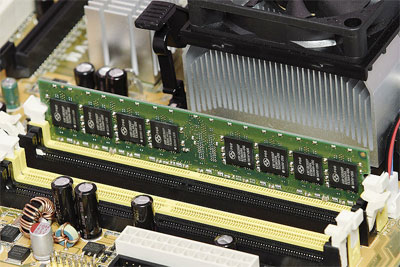
To all the power users out there who are running 4GB RAM or more on typical 34bit systems, you may realize that only about 3GB of that RAM can be used by the operating system efficiently. The remaining memory is pretty much wasted due to the nature of 32bit addressing making it a bummer if you have spent all that money to get so much RAM.
The reason this is a problem is due to the way 32bit systems allocate addresses. Back in the days, 4GB of ANYTHING was considered huge and as a result, the assumption that we would never need so much of anything was made. Well, fast forward a few decades and the problem is coming back to haunt us.
You may also notice that the limitation is also apparent in hard disks still running FAT32 filesystems. On those filesystem, you cannot have a single file exceeding 4GB in size, otherwise the OS will complain about running ‘out of space’. Nowadays, people are running on NTFS which do not have such a limitation.
Regardless, if you do own more than 4GB of RAM, it is recommended to upgrade your OS to a 64bit version, like XP64 or Vista 64. But let’s assume that is not possible or desirable? What then?
Enter the RAMDISK. A ramdisk is basically a disk partition created in your ram. By doing so, you can then put a page file or browser cache on it giving you the ability to do something useful with that wasted RAM.
If you are running 4GB, simply create a 1GB ramdisk and place your computer’s page file into it, maximizing the use of RAM on your 32bit system.
Word of advice: do not do this if you have less than 4GB of RAM, or are already running a 64bit OS. It provides no benefit at all under these circumstances.

Anyway, Gavotte Ramdisk (of course free) will allow you to set up your ramdisk easily. After that, simply go into your computer and change the page file size and location so that it resides in your ramdisk and you’re done! Give it a try!
CashBack
June 4th, 2009 at 1:43 am
Yes you poor people with 4Gb of ram not being able to use it all
I wish I could afford a setup with that kind of memory. As it is right now, I have a laptop with a broken monitor propped up behind a 19″ monitor. Can you say ghetto?
used tires
June 5th, 2009 at 4:57 am
@Cashback ram is actually alot cheaper than it used to be, back in the day ram used to be so expensive! But nowadays you can get a 1GB stick of ram for less than 20 dollars, which is just plain awesome! And even further back… like in the 90s… if you had a total of 1 GB of Ram in your hands, you were a millionaire, so we’ve definitely come a long way in the computer industry.
Till then,
Jean
HeHeHunter
June 5th, 2009 at 2:51 pm
To be exact, it’s 3.25GB RAM not 3GB RAM.
I checked it with Windows 7.
Kitkat
June 5th, 2009 at 5:38 pm
CashBack, poor guy. You should treat yourself better, get yourself a new laptop for god sake!
used tires, yes, RAM is cheap but the price is increasing for months already.
HeHeHunter, thanks the correction. It’s 3.25GB
imDavidLee
June 5th, 2009 at 6:14 pm
that mean is use 34bit must use less than 4gb ram then only consider worth?
Kitkat
June 8th, 2009 at 12:58 am
imDavidLee, not exactly. If you use this software, you can still fully utilize all the rams in your 32-bit system
Jacques Snyman | 3Quotes
June 11th, 2009 at 12:17 am
OK, so that is the 3GB “sweet spot for xp” somebody else was writing about the other day. What a sweet trick! Putting the pagefile in the extra 1GB then leaves 32bit xp free to function optimally. As somebody who still loves xp, and who is running an older machine with DDR400 RAM, this is great news.
Eyeguy
June 16th, 2009 at 9:54 am
This page is not well informed. A 32bit system (NOT 34BIT) can address 4GB of PCI memory space. No more, no matter what. You can’t put a magic ramdisk to use the space. It’s not addressable by the windows kernel.
You should use 64bit linux instead. I’ve mapped video card memory as swap space in ubuntu. Think I’m full of it? Google “use video memory as swap space” And it’s free.
History of Golf
July 9th, 2009 at 12:07 am
I was wondering if i could add a 4gb ram into my emachines t5234. i’ve seen things online saying i can only install a 2gb and some saying a 4gb. if i cant install a 4gb, how can i?
History of Golf
July 9th, 2009 at 12:08 am
Your maximum RAM on this machine is 2 GB with 2 x 1 GB DIMMs. You cannot use 2 GB DIMMs, it is a hardware limitation.
borisman
July 17th, 2009 at 2:54 am
This is not correct. Using ramdisk is not a solution, because ramdisk takes space from your physical ram adressable by windows and lowers available ram exactly for one gigabyte. Just open up task manager and see how much physical memory is free after it has been installed.
Checked on windows 2000 and have no reasons to believe it won’t be same on winxp.
cwallen19803
July 27th, 2009 at 1:56 am
3.838 GB RAM visible here on my Dell Inspiron 1520. I allocated the rest of the unreachable memory to RAMDISK
History of Golf
August 21st, 2009 at 12:58 am
To mix RAM from different computers you need to make sure that the computer that you are sticking these chips in is okay with the speed of the RAM from the emachine.
History of Golf
September 4th, 2009 at 12:40 am
I would like to buy a computer, specifically an Alienware, but I don’t want to pay the big bucks to get the 8GB of RAM put in by them, but I am having trouble finding single 4GB modules to achieve that 8GB myself.
History of Golf
September 4th, 2009 at 12:41 am
I’ve checked many websites and I only see up to 4GB (two 2GB sticks) for PC 5300. I thought Alienware would put in something higher end like DDR3 though.
PS3
October 24th, 2009 at 1:10 am
just use windows 7 guys! btw, does the XP-Win7 patch fix the RAM bug?
Olav Alexander Mjelde
January 8th, 2010 at 12:52 am
There are some mistakes here..
32 bit Windows (non server editions) can adress a TOTAL of 4 Gigabytes.
You have to subtract things like:
Graphics card
etc.
so, if you have 4 Gb RAM and maybe 1Gb on the GFX, you can adress some less than 3 Gb. On my work-pc, I can adress 3.1Gb. It all depends on the HW..