
The news of Windows 7 making a launch in this year have caught many by surprise, as Microsoft scrambles to remedy the poor performance and consumer reception to Vista by launching another version of Windows.

Joking aside, the newest iteration of Windows does have some appeal, especially some new usability enhancements that promises to make it “friendlier to use”. However, what you might not know is that a lot of the enhancements are available right now for Vista and XP, with the right applications and tweaks. Here are some of the best features of Windows 7 you can have on your desktop today:
Item Pinning on Taskbar
The effect is basically being able to pin shortcuts or items to your taskbar. You can do pretty much the same thing by enabling the Quick Launch toolbar and resizing it to your liking. Do this by right clicking on the task bar and selecting Toolbars then Quick Launch. Unlock your taskbar (if it’s locked) then drag it to a bigger size. Using Large Icons will give a better effect.
Half-sized windows
For owners of widescreen monitors above the 20-inch range, this feature is indispensable as it allows you to half-size your windows so you can view two windows side by side. The same effect is achieved via third party software such as Winsplit Revolution and Wingrid. In fact these applications give you greater control on how you want the windows to resize as well as specifying different regions (2 windows on the left, one on the right, etc).
Aero Shake
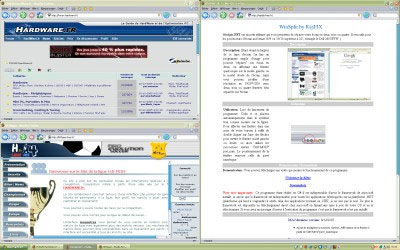
By “shaking” an active window, all other windows are resized. The same effect is achieved via the Aero Shake app.
UAC
UAC is reduced to a less annoying version in Windows 7. I prefer it completely OFF in Vista, and you can turn it off by going into your Control Panel and User Accounts, where you can disable UAC.
Calculator, Paint, Powershell
Windows Vista comes with an upgraded Paint, Calculator and Wordpad. The new Wordpad isn’t available yet, but a good approximation to the new Paint is Paint.NET, which is a small yet powerful tool fulfilling most casual graphics editing job capabilities. Power Calculator, a free app, is also a good replacement for the dated calculator in Vista and Powershell is available as a separate download for Vista and XP users; it just comes preinstalled in Windows 7.

Theme
You can get the Windows 7 theme by going to this link. It uses Visual Style editing to get a close approximation to the theme in Windows 7.

More Powerful WiFi management
Windows 7 has an upgraded method to manage WiFi connections, but most laptop manufacturers already have proprietary WiFi software together with their computer. In case yours don’t, NetSetMan is a good way to explore a fully featured WiFi management software. But you don’t really need it as I find XP and Vista’s wireless capabilities to be sufficient to connect to my home network and occasional hotspots when I am outside.