
How do you broadcast live streaming video on your own website, such as live video from your webcam? The answer is very simple, make use of Ustream.tv. Ustream.tv lets anyone with a webcam or a similar video capturing gear and some guts to put together a live video on the web. The video can be broadcast live to millions of other viewers. The video creator can create their own channels, complete with customized branding and show description.
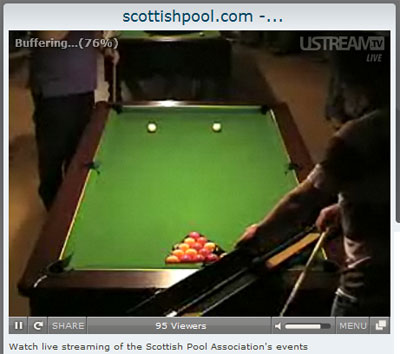
Other than showing your video on Ustream itself, you can embed it on blogs, websites, and social-networking profiles. Let me show you how…
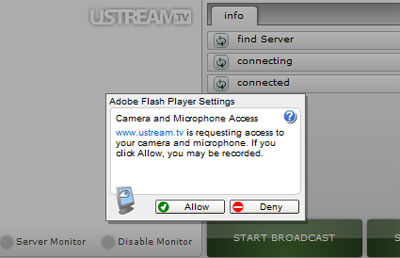
Firstly, sign up at Ustream.tv, it’s absolutely free and fast. Once that’s done, login and click on My Shows. Next, type in a name for your show and click on the “Broadcast Now” button. After a short while, you will be asked to grant permission to Ustream.tv to access the camera and microphone. Of course, grant the permission by clicking on the “Allow” button.
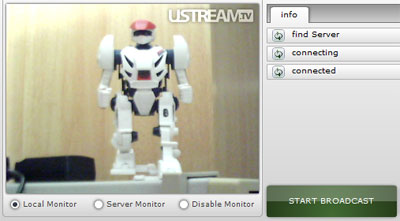
A window pops up. Click on “Start Broadcast” to start what else but the broadcasting! Check out my broadcast screenshot below… well that’s a Transformer imitation I am showing! 🙂
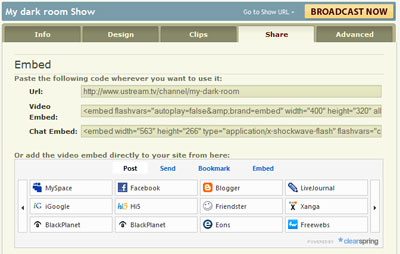
To share the live video,… or you simply want to amaze other bloggers reading your blog… You can use one of the many codes on your bog. Just copy and paste! You can embed the video directly into most major social networking sites such as MySpace, Facebook, Blogger, LiveJournal, iGoogle, Friendster, Xanga, and many more. It’s so much fun!
This is really great, isn’t it? Especially true for those who carry a camera around with them all the time. Don’t use your webcam with your friends only, make full use of your webcam, show us your live video of yourself… show us what you are doing – blogging, reading, watching TV, sleeping, eating, in the bathroom,… 🙂