
Frankly, I haven’t been using ASP nor program in ASP for quite a long time. Tday I got to code a website project in ASP… ah, why they never upgrade to the newer ASP.NET? Anyway, then I realize my new laptop doesn’t come with IIS (Internet Information Services). By default this resource hungry web service is not installed. Now, being new to Vista, I had to click around quite a bit to find out how to get this IIS to work.

First thing is to install IIS. Here’s how you do it.
- Go to Start > Control Panel > Programs.
- Under Programs and Features, click “Turn Windows features on or off”.
- Check “Internet Information Services”.
- Click OK.
As you can see above, it takes a few simple steps only, though it’s hidden deep inside the Control Panel.
Note that it says “Please wait while the features are configured. This might take several minutes.” Well, Microsoft means it when they say so. It actually took 3 or 4 minutes in my case! Also, under Internet Information Services, there are a lot of options which you might want to explore and test a bit, because even if you click on IIS, some of the necessary options might not be checked by default, specifically make sure “IIS Management Console” is checked, otherwise you will not have a console to manage your IIS service. I know this because I forgot to do that and I had a hell time trying to figure out how to start my IIS!
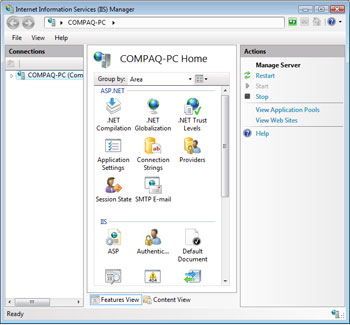
In other words, if you didn’t check “IIS Management Console” and you ran inetmgr in the DOS window, you will get the following message:
‘intemgr’ is not recognized as an internal or external command, operable program or batch file.
The solution is to check and install “IIS Management Console”. Why Microsoft make our life so difficult?
However, if you STILL get the above error message, then you need to navigate to C:\Windows\System32\inetsrv and run inetmgr.
Have fun with IIS and Windows Vista.